
Lian Li LANCOOL 215 Mid-Tower Case – Snow White

27000 30000

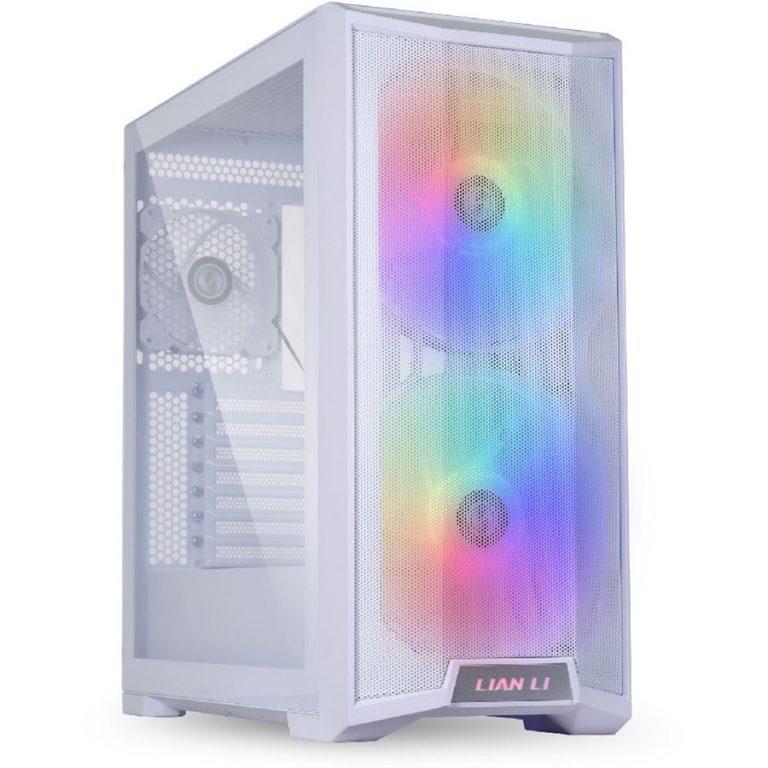
LANCOOL 215 features two pre-installed 200MM ARGB fans and a 120MM fan, combining with mesh panels, honeycomb vents enable efficient ventilation.Equiped with two 200mm ARGB fan and one 120 fan at the rear. The mesh panel in the front creates a great airflow without bring the dust in.

  • E-ATX, ATX, and M-ATX/ITX Support
  • Tempered Glass Side Panels
  • 2 x 2.5″ Drive Bays
  • 2 x 3.5″ Drive Bays
  • 7 x Expansion Slots
  • 2 x USB 3.0 Type-A Ports
  • 2 x 200mm ARGB Fans Included
  • Support for Liquid Cooling Systems
  • Supports GPUs up to 14.5″ Long
  • Magnetic Dust Filter

Product Specifications

Lian Li LANCOOL 215 Mid-Tower Case – Snow White

Unobstructed Airflow

Lian Li LANCOOL 215 features two pre-installed 200MM ARGB fans and a 120MM fan, combining with mesh panels, honeycomb vents enable efficient ventilation.

OPTIMIZED THERMAL MANAGEMENT

MESH INTAKES SPANNING THE FRONT PANEL GUARANTEE SUFFICIENT AIRFLOW IN AND OUT OF THE SYSTEM.

INCLUDED FANS

Pre-installed fans ensure the case runs at peak performance.

HONEYCOMB VENTS

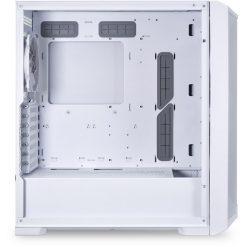
The honeycomb vent design at the top, rear, and above the PSU chamber guarantee an abundant airflow is delivered to the interior components, optimizing the thermal management.

MULTI COOLING SYSTEMS SUPPORT

Supports a maximum of 7 fans and radiators in various sizes and configurations. You make the call!

ULTIMATE COOLING SYSTEM SCENARIO

With two 200MM fans mounted outside of the frame,you still have enough room to front mount a 360 AIO radiator to benefit from the ultimate cooling scenario.
Don’t worry about the fan screws, they won’t interfere with the radiator.

MOVE AIR STYLISHLY WITH ARGB EFFECTS

Two 200MM fans are equipped with LED lights which create a dazzling effect through the mesh panel.

EXPERIENCE ARGB CONTROL VIA ONE BUTTON

The LED button located on the top controls 8 lighting modes and 7 colors through a simple click.

HIGHLIGHTED LOGO

The LIAN LI logo glows in sync with the fans.

ARGB SYNCHRONIZATION WITH THE MOTHERBOARD

Pressing the LED button 3 seconds passes over the control of the LED lights to the motherboard, and press the button 3 seconds again to regain control of the lights.